2024 Planner Bundle Canva KDP Interior
A well-designed, editable planner interior isn’t just a convenience—it’s a foundational asset for creators building print-on-demand (POD) or digital planning products on Amazon KDP. The 2024 Planner Bundle Canva KDP Interior stands out not for flashy gimmicks, but for its consistent execution across practical use cases: clean layout logic, reliable formatting, and thoughtful inclusion of functional pages that align with how people actually plan.
What This Bundle Delivers—and Why It Matters
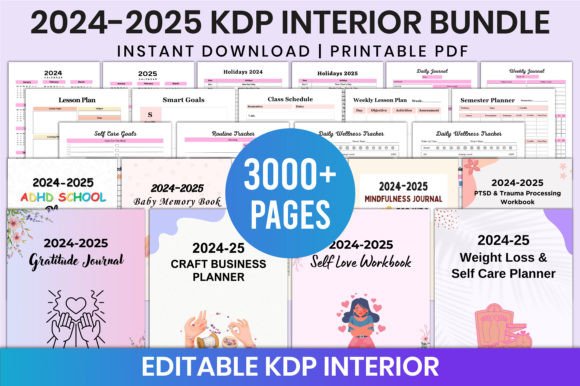
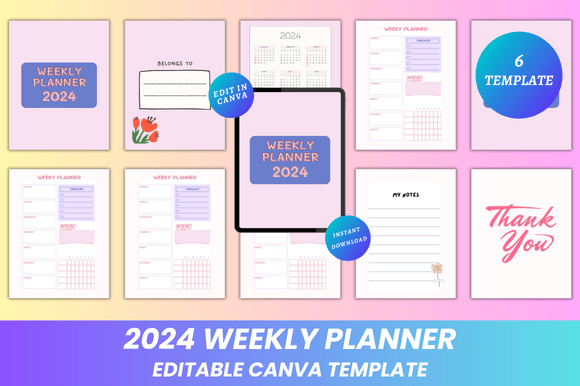
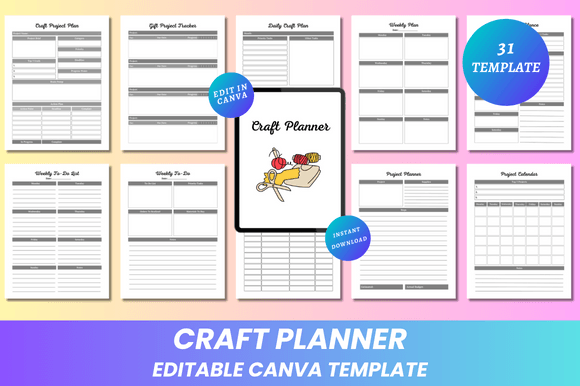
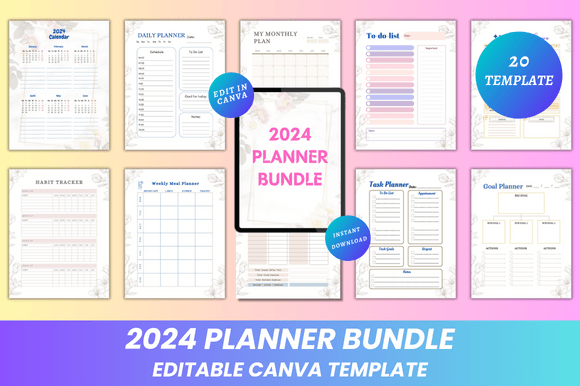
This is a 20-page, 8.5 × 11-inch interior set built specifically for KDP planners. Every page is fully editable in Canva—fonts, colors, spacing, icons, photo placeholders, and layout blocks can all be modified without design expertise. That flexibility matters: it allows creators to brand consistently across multiple planner titles, adapt tone for niche audiences (e.g., minimalist professionals vs. vibrant student planners), or localize content like holidays or fiscal year markers.
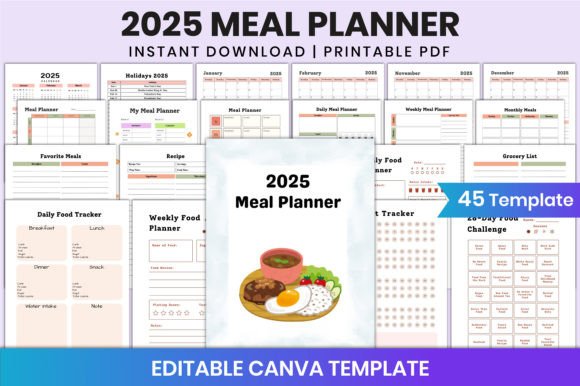
The bundle includes core planning components—daily and weekly spreads, monthly overviews, habit trackers, budget and income/expense logs—as well as purpose-built tools like a weekly meal planner and savings goal worksheet. Unlike generic templates that prioritize aesthetics over usability, these pages follow proven planning conventions: clear time-blocking zones, intuitive checkbox hierarchies, and sufficient white space to avoid visual fatigue during extended use.
Design Quality and Production Readiness
All files are delivered as high-resolution, print-ready PDFs (no bleed, CMYK-safe), plus JPG and PNG exports for hybrid workflows. The clean, minimal aesthetic avoids decorative clutter—no distracting watermarks, excessive borders, or inconsistent icon sets. Typography is legible at standard printing resolutions, and line weights remain crisp even when scaled down for compact versions. Margins respect KDP’s minimum requirements, reducing the risk of cutoff during binding.
Each page is structured as a single-layer Canva frame, meaning edits stay predictable. You won’t encounter nested groups that break alignment when resizing, nor uneditable rasterized text. That reliability translates directly into time saved during customization—especially important if you’re managing multiple planner variants or iterating based on customer feedback.
Real-World Usability Across Audiences
Freelancers and solopreneurs benefit from the task, goal, and income/expense trackers—pages that support both project management and financial awareness without requiring external apps. Educators adapting planners for classroom use appreciate the editable “Notes” and “My Monthly Plan” pages, which allow them to embed curriculum timelines or student reflection prompts. Bloggers and content creators find the habit tracker and weekly meal planner useful for audience-facing challenges or companion resources.
For KDP publishers, the bundle’s structure supports scalability. Since each page functions independently, you can mix and match sections—for example, combining the fitness planner with a gratitude journal for a wellness-themed title, or pairing the budget planner with a debt payoff tracker for a finance-focused release. That modularity helps reduce redundant design work across your catalog.
Practical Strengths Worth Noting
- Editability without compromise: Fonts, colors, and layout elements change freely—but grid integrity and alignment guides remain intact, preserving professional spacing.
- No hidden dependencies: All assets are embedded; no need to source or license additional fonts or icons to maintain visual cohesion.
- Consistent sizing and orientation: Every page is 8.5 × 11 inches, portrait, with uniform margins—critical for KDP’s preview tool and physical trim accuracy.
- Functional variety without bloat: 20 pages cover common planning needs without overcrowding the bundle with rarely used features (e.g., astrology calendars or overly stylized quote pages).
- Lifetime access and updates: New designs are added periodically, giving long-term users access to refreshed layouts without repurchasing.
Considerations for Realistic Implementation
While highly adaptable, the 2024 Planner Bundle Canva KDP Interior assumes basic familiarity with Canva’s interface—particularly working with layers, transparency settings, and export options. Users new to Canva may need 30–60 minutes to become comfortable adjusting color palettes across multiple pages or replacing placeholder images while maintaining aspect ratios.
It does not include cover templates, marketing copy, or KDP-specific formatting guidance (e.g., spine width calculations or copyright page placement). Those remain separate responsibilities. Also, while the 2024 calendar spans two pages, it’s static—not dynamically generated—so adjustments for regional date formats or observances require manual editing.
Finally, because it’s designed for KDP, the interior doesn’t include bleed or crop marks. That’s intentional and correct for KDP’s requirements—but creators intending to use these files for offset printing elsewhere will need to add bleed manually before exporting.
Who Benefits Most—and When
This bundle serves creators who value efficiency without sacrificing control. If you publish multiple planner titles per year—or plan to expand into themed niches like productivity, wellness, finance, or education—the ability to reuse and rebrand a cohesive interior saves significant time versus designing from scratch each time.
It’s especially valuable during seasonal planning cycles: launching a new planner for Q1 means having a tested, production-ready interior that already includes January–December 2024 dates, eliminating date-entry errors and layout inconsistencies. For educators developing custom classroom planners or coaches building client workbooks, the editable nature supports personalization at scale—adding organization systems aligned with specific methodologies (e.g., time-blocking for ADHD coaching or SMART-goal frameworks for career development).
That said, if your workflow relies heavily on automation (e.g., batch-generating hundreds of personalized planners via scripts), this bundle’s Canva-based model may introduce manual steps. Similarly, designers committed to advanced typography or vector illustration may prefer starting from Illustrator or InDesign files—though those typically lack the same level of plug-and-play accessibility.
Final Perspective
The 2024 Planner Bundle Canva KDP Interior succeeds by focusing on what makes a planner interior functionally sound: clarity, consistency, and adaptability. It doesn’t try to be everything—but it does what it sets out to do reliably. Pages load quickly in Canva, export cleanly, and hold up under real-world usage: whether printed at home on standard copy paper or sent to a professional print shop for coil-bound versions. Its strength lies in being a dependable foundation—not a one-size-fits-all solution, but a flexible, well-structured starting point that respects both the creator’s time and the end user’s need for practicality.