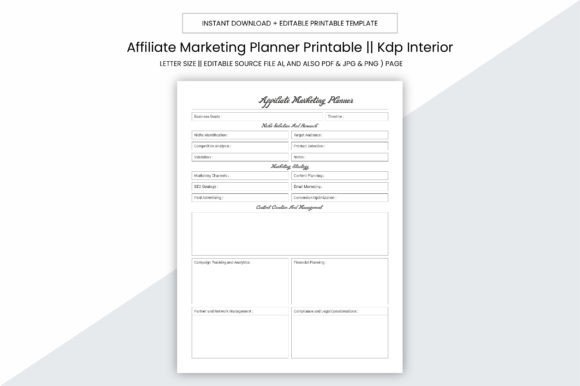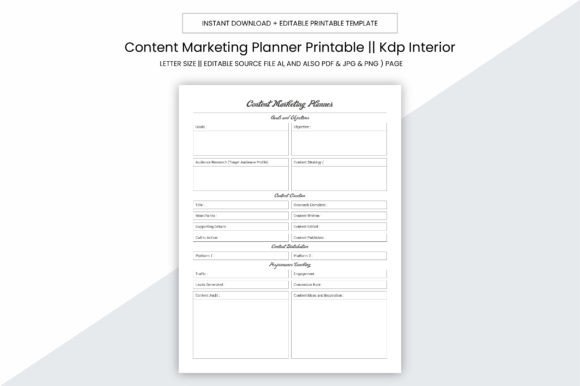
Content Marketing Planner Kdp Interior
The Content Marketing Planner Kdp Interior is a purpose-built digital planner designed specifically for creators, marketers, and self-publishers preparing print-on-demand (POD) or Kindle Direct Publishing (KDP) books. It functions as a ready-to-use interior template—109 pages of structured, printable content—optimized for KDP’s formatting requirements. Unlike generic notebooks or blank planners, this resource delivers a cohesive, production-ready layout with intentional spacing, typography, and page sequencing aligned to standard publishing workflows.
This planner is distributed as a digital download containing multiple file formats: editable Adobe Illustrator (.ai) source files, plus PDF, JPG, PNG, and PowerPoint (.pptx) versions. All pages are sized at 8.5 x 11 inches—a common trim size for US trade paperbacks—and include no bleed, simplifying printing and reducing the risk of unintended cropping during KDP upload. Each file is rendered at 300 PPI, meeting KDP’s minimum resolution standard for high-fidelity output.
Who Might Consider This Planner?
Three primary audiences commonly evaluate the Content Marketing Planner Kdp Interior:
- Self-publishing authors building a series of workbooks, journals, or planning tools for niche audiences (e.g., small business owners, freelancers, educators).
- Content marketers or consultants who develop branded resources for clients or their own service offerings and need consistent, professional interiors across multiple titles.
- KDP-focused entrepreneurs launching low-maintenance, high-volume products—such as daily planners, goal trackers, or marketing logs—where speed-to-market and design consistency matter more than bespoke layouts.
Each group values time efficiency, reproducibility, and compatibility with KDP’s technical constraints. The planner addresses those needs directly by eliminating the need to build interiors from scratch or troubleshoot formatting issues like margin alignment, font embedding, or page numbering conventions.
Practical Benefits and Realistic Tradeoffs
The most tangible benefit is workflow acceleration. With editable .ai files, users can customize headers, color schemes, icons, or section labels without relying on design software expertise. The inclusion of PDF, JPG, and PNG variants supports flexibility: PDFs maintain vector fidelity for direct KDP uploads; raster formats allow quick previews or social media teasers; and PowerPoint enables lightweight text edits without Illustrator access.
However, this convenience comes with tradeoffs. Because the interior follows a standardized structure, it offers limited structural flexibility—users cannot easily reorganize core sections (e.g., moving a monthly review before weekly planning) without manual editing in Illustrator. Similarly, while the 109-page count suits many workbook formats, it may require trimming or expansion for shorter guides or longer, multi-part resources. Users must also verify that any custom edits preserve KDP’s required margins (minimum 0.25" for standard paperbacks) and avoid elements too close to trim edges.
Another consideration is licensing scope. The product is intended for personal, commercial, or KDP use—but does not grant rights to resell the template itself as a standalone digital product. Users retain full rights to publish derivative works (e.g., customized planners under their own brand), but not to redistribute the original AI or PDF files as templates.
When This Planner Is a Strong Fit
The Content Marketing Planner Kdp Interior aligns well when:
- You’re launching your first KDP planner and want to avoid learning InDesign or wrestling with KDP’s interior validation errors.
- You plan to release multiple similar titles (e.g., “Social Media Planner,” “Email Marketing Logbook”) and need visual continuity across covers and interiors.
- Your audience expects clean, functional layouts—not highly illustrated or narrative-driven content—so typography, spacing, and usability take priority over artistic flourishes.
- You have basic familiarity with Illustrator or are willing to learn foundational tools (e.g., text editing, layer visibility, export settings) to make targeted adjustments.
In these cases, the planner reduces upfront investment in design time while maintaining professional output quality. Its 300 PPI resolution and bleed-free 8.5 x 11 inch dimensions mean printed copies meet local print shop standards, allowing hybrid distribution (e.g., selling physical copies at events alongside KDP listings).
When Alternatives May Be Worth Exploring
This planner is less suitable if:
- Your project requires heavy visual customization—such as embedded illustrations, photo collages, or complex infographics—that exceed the template’s baseline layout capacity.
- You’re developing a long-form nonfiction book with chapters, footnotes, indexes, or extensive cross-referencing—features not built into this planner’s workbook-oriented structure.
- You prefer working exclusively in free or subscription-based tools (e.g., Canva, Google Docs) and lack access to Illustrator or willingness to use trial versions.
- You need a fully automated solution—for example, one that populates dates dynamically or syncs with calendars—which this static, manually editable template does not provide.
For those scenarios, alternatives might include hiring a KDP-certified formatter, using Canva’s KDP templates (with careful attention to bleed and margin rules), or investing in desktop publishing software with KDP presets. Each option carries its own learning curve, cost, and control tradeoff.
Making an Informed Decision
To determine whether the Content Marketing Planner Kdp Interior fits your goals, ask yourself three questions:
- What is my primary output format? If your main goal is a KDP paperback with minimal revisions between titles, this planner streamlines production. If you’re prioritizing eBooks, interactive PDFs, or web-based tools, its print-centric design adds little value.
- How much customization do I realistically need—and how comfortable am I making it? Preview the included file types. If you can confidently adjust text blocks in Illustrator or replace placeholder images in PowerPoint, the learning barrier is low. If even basic edits feel daunting, consider simpler, drag-and-drop alternatives—even if they require more manual alignment checks later.
- What’s my timeline and volume expectation? For a single, polished planner launched within two weeks, this resource saves hours. For a portfolio of five distinct, visually varied titles over six months, the time saved per title diminishes, and investing in scalable design systems may yield better long-term returns.
Ultimately, the Content Marketing Planner Kdp Interior serves as a pragmatic starting point—not a universal solution. It meets a specific need: accelerating the creation of functional, KDP-compliant interiors without sacrificing print quality or structural clarity. Readers evaluating this tool should weigh their technical comfort, project scope, and long-term publishing strategy—not just immediate convenience—before deciding.