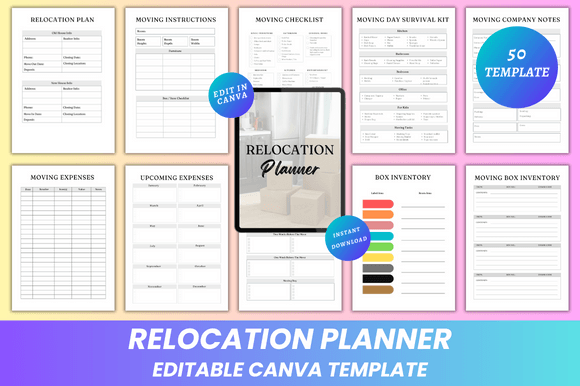
50 Editable Canva Templates KDP Interior
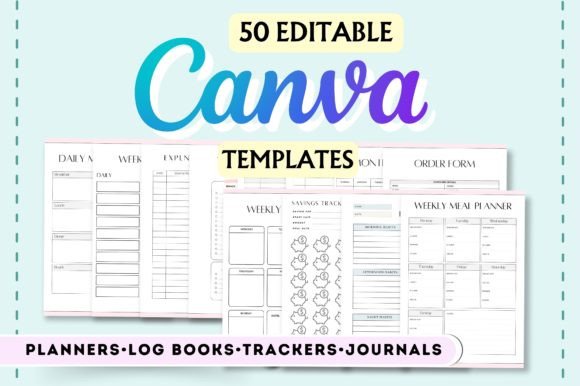
Whether you're launching your first KDP journal, building a planner brand, or designing custom tools for clients, 50 Editable Canva Templates KDP Interior gives you a practical, time-saving foundation—no design degree required. These aren’t static PDFs or locked layouts. They’re fully editable Canva files built specifically for interior pages of print-on-demand planners, journals, trackers, and logbooks—optimized for Amazon KDP’s trim sizes, bleed, and margin requirements.
What You Can Actually Change—and Why It Matters
Each of the 50 templates supports real-time editing inside Canva: text, text color, fonts, elements (like icons, dividers, checkboxes), and background colors. That means you’re not just swapping placeholder words—you’re tailoring tone, hierarchy, and visual rhythm to match your audience’s needs. A therapist might soften the Daily Gratitude Journal with muted sage greens and open sans-serif fonts, while a fitness coach could sharpen the Weekly Workout Log with bold headers, high-contrast checkboxes, and energetic accent colors—all without touching code or hiring a designer.
This level of control matters most when consistency meets purpose. For example, the Medication Log and Blood Pressure Log both benefit from clear, legible typography and ample spacing—but their color palettes and icon sets should reflect different contexts: clinical clarity versus compassionate self-care. With 50 Editable Canva Templates KDP Interior, those distinctions are intentional and achievable in minutes—not days.
Real Workflows, Not Just Categories
Scrolling through the list—Monthly Budget Tracker, Student Reading Log, Sign-In Sheet, Morning Check In—it’s easy to see variety. But what makes these templates useful isn’t the quantity. It’s how each one maps to an actual behavior or responsibility.
- A freelance graphic designer uses the Work Log 2 template to track billable hours across three clients—editing column headers to include “Project ID” and “Approval Status,” then changing background tones by week to visually segment sprints.
- An educator adapts the Reading Log for classroom use: renaming “Book Title” to “Title + Author (Grade Level)”, adding a “Discussion Prompt” field, and switching to a friendly rounded font that aligns with her school’s literacy initiative.
- A small bakery owner modifies the Order Tracker to include pickup time slots, dietary tags (e.g., “Vegan”, “Gluten-Free”), and a notes section for special instructions—then exports it as a printable sheet for front-counter staff.
These aren’t hypothetical tweaks. They’re realistic edits enabled by thoughtful template structure—not just blank canvases. Each layout anticipates common data points, logical flow, and physical usability (e.g., checkbox size for pen use, line height for handwriting).
Who Benefits Most—and How They Use It Differently
Self-publishers and KDP creators rely on 50 Editable Canva Templates KDP Interior to test niches quickly. Instead of committing to a full 12-month planner series upfront, they can launch a focused Habit Tracker bundle with seasonal themes—editing only cover copy and interior accents between versions. That agility reduces risk and helps validate demand before investing in custom illustrations or advanced formatting.
Educators and coaches often need private, branded resources for students or clients. The Assignment Tracker or Today’s Checklist templates let them embed school logos, adjust deadlines dynamically, and add reflection prompts—without sharing editable files externally. Since all editing happens in Canva, there’s no need to manage layered PSDs or license fonts separately.
Small business owners and solopreneurs appreciate how templates like Expense Tracker, Incomes Expenses, and Weekly Chores bridge personal and operational needs. One user reported cutting 3+ hours weekly off her bookkeeping prep by using the Monthly Budget Tracker—not because it auto-calculates, but because its clean column alignment and consistent date formatting reduced manual reformatting in spreadsheets.
Practical Limits—and When to Pause and Plan
While powerful, 50 Editable Canva Templates KDP Interior is designed for interior pages—not covers, marketing assets, or complex interactive elements. It doesn’t support formulas, dropdown menus, or password protection. If your goal is a digital-only, auto-updating budget tool, a spreadsheet or app may be more appropriate.
Also, editing happens exclusively in Canva (free or Pro). That means users need basic familiarity with Canva’s interface—especially around resizing elements safely within KDP-safe zones and exporting print-ready PDFs with correct bleed settings. Those new to KDP should pair these templates with Amazon’s latest interior guidelines and test print a single copy before scaling.
And while fonts are editable, not all Canva fonts render identically across devices or export cleanly at high resolution. Stick to Canva’s “PDF Print” export option and preview text at 100% zoom to catch subtle kerning or weight shifts—especially in headers or small-body fields like the Contact List or Passwords page.
More Than Pages—A Framework for Intentional Design
At its core, 50 Editable Canva Templates KDP Interior offers something deeper than convenience: it invites intentionality. Every Monthly Goals page asks, “What does success look like this month—and how will I recognize progress?” Every Daily Journal layout creates space—not just for writing, but for noticing patterns over time. Even functional sheets like the Grocery Shopping List or Sign-Up Sheet become quieter opportunities to reduce friction in daily routines.
That’s why creators who go beyond surface-level edits tend to get the strongest results. They don’t just change colors—they align visual language with function. They don’t just rename fields—they consider how someone will fill them out mid-morning with coffee in hand or after a long shift. And they treat each template not as a finished product, but as a collaborator in building better habits, clearer communication, and more grounded decision-making.
If you’re evaluating whether 50 Editable Canva Templates KDP Interior fits your goals, ask yourself: Do I need reliable, KDP-compliant interiors I can adapt quickly—without sacrificing clarity or usability? Am I willing to spend 20–40 minutes refining one template to serve a specific audience, rather than rushing through 10 generic ones? If yes, this set becomes less of a download and more of a working partner—one that grows more valuable the more thoughtfully you engage with it.