Trackers Bundle Canva KDP Interior: A Flexible, Print-Ready Resource for Planners and Self-Management
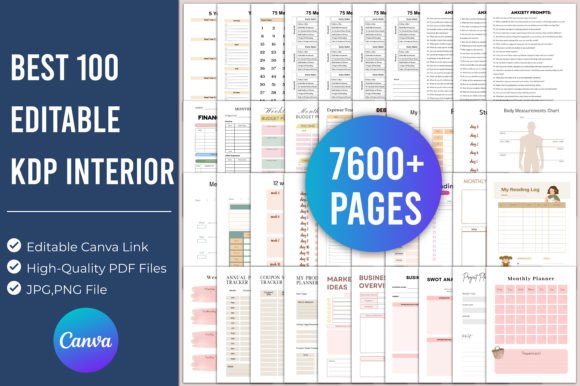
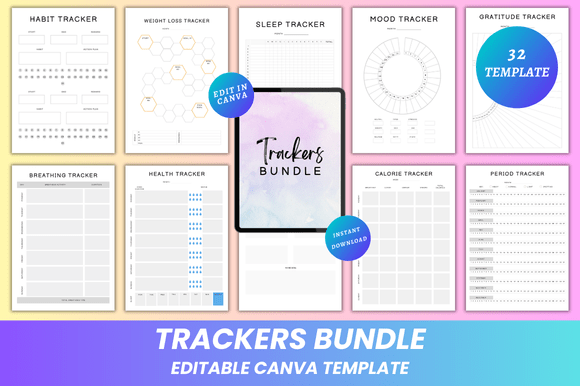
Trackers Bundle Canva KDP Interior is a curated collection of 32 fully editable, print-ready planning tools designed specifically for creators, educators, wellness coaches, and independent publishers who use Canva to build or sell digital or physical planner products. Unlike static PDFs or pre-rendered graphics, this bundle delivers editable Canva links—meaning every element—fonts, colors, spacing, icons, layout structure, and even placeholder images—is customizable before export. It’s not just a set of trackers; it’s a production-ready interior template suite built with both end-user flexibility and KDP (Kindle Direct Publishing) compliance in mind.
What Makes This Bundle Distinct From Other Tracker Resources
Most tracker collections fall into one of two categories: rigid printable PDFs (with no editing capability beyond handwriting) or unstructured design files that lack consistency, bleed settings, or print-safe margins. Trackers Bundle Canva KDP Interior bridges that gap. Each of the 32 pages—including Habit Tracker, Sleep Tracker, Period Tracker, Expense Tracker, Vision Board, and Pomodoro Tracker—comes pre-formatted to standard US letter (8.5 × 11 in) size with proper bleed and safe zones for KDP uploads. More importantly, the Canva link grants real-time visual editing: swap fonts to match your brand voice, adjust color palettes for accessibility or aesthetic cohesion, resize sections to emphasize priority metrics, or insert custom photos or illustrations without breaking alignment.
This level of control matters most when you’re tailoring content for specific audiences—say, adding clinical terminology to a Health Tracker for healthcare professionals, or simplifying language and increasing font size in a Daily Routine Tracker for neurodivergent users. Static templates can’t accommodate those shifts without design software expertise. With Trackers Bundle Canva KDP Interior, no coding or advanced graphic design skills are required—just familiarity with Canva’s interface.
How It Compares With Alternative Approaches
Some users opt for free Canva templates found via search—but those rarely include KDP-optimized dimensions, consistent typography across pages, or structured data fields (e.g., pre-labeled columns in the Calorie Tracker or auto-calculating totals in the Expense Tracker). Others invest in Adobe InDesign or Affinity Designer files, which offer deeper control but demand steeper learning curves and licensing costs. Trackers Bundle Canva KDP Interior sits between those options: more adaptable than generic freebies, more accessible than professional desktop publishing tools.
Compared to Notion-based tracker systems, this bundle prioritizes offline usability and tactile engagement. While Notion excels at dynamic databases and cross-linked automation, it doesn’t produce print-ready outputs without third-party exports or workarounds—and lacks the intentional whitespace, typographic rhythm, and visual hierarchy built into each page of the Trackers Bundle Canva KDP Interior. For readers who journal on paper, bind physical planners, or sell printed journals on Amazon, that distinction is functional, not aesthetic.
Strengths and Practical Use Cases
The strength of Trackers Bundle Canva KDP Interior lies in its balance of structure and adaptability. Because all 32 pages share a clean, minimal design language—consistent grid systems, restrained color palettes, and ample margin space—it supports cohesive branding across diverse use cases:
- Educators can customize the Goal Tracker and Task Tracker for student progress monitoring, inserting school logos and adjusting deadlines per term.
- Wellness practitioners may reframe the Feel Good Tracker or Gratitude Tracker with client-specific prompts, then export high-resolution PDFs for handouts or worksheets.
- KDP sellers can rapidly iterate versions—e.g., “Weight Loss Tracker for Beginners” vs. “Advanced Fitness Log”—by duplicating the base Canva file and modifying headers, instructions, and section labels, all while preserving KDP-compliant formatting.
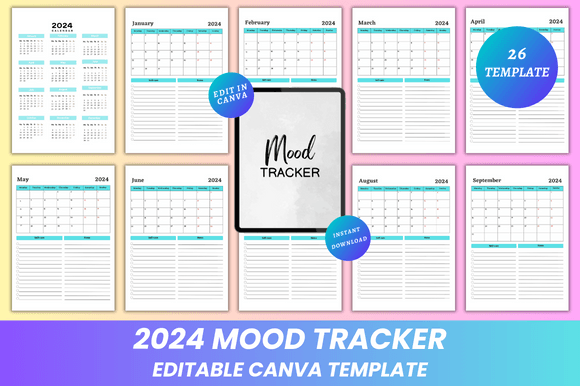
- Individual users benefit from immediate personalization: changing the Mood Tracker’s emoji scale to reflect their emotional vocabulary, or adding a photo to the Vision Board page before printing.
The inclusion of both JPG and PNG exports adds versatility—PNGs support transparent backgrounds for digital overlays or social media visuals, while JPGs offer smaller file sizes for email distribution or web previews.
Limitations and When to Consider Alternatives
Trackers Bundle Canva KDP Interior does not include interactive functionality (e.g., form fields that calculate totals or auto-populate dates), nor does it integrate with external calendars or APIs. If your workflow depends on syncing data across devices or triggering reminders, a dedicated app—or hybrid approach combining this bundle with digital tools—may be necessary.
It also assumes access to Canva’s free or Pro tier. While the free version supports most edits, some premium fonts, stock images, or background removal tools require a subscription. Users working under strict budget constraints may find value in open-source alternatives like LibreOffice templates—but those typically lack the same level of visual polish or KDP-specific preparation.
Additionally, while the bundle includes a Password Tracker, it does not support encrypted storage or password generation—so it’s appropriate for light organizational use (e.g., tracking login notes for non-sensitive accounts), not enterprise-grade credential management.
Decision Factors: Is This the Right Fit?
Trackers Bundle Canva KDP Interior is especially well-suited when you need:
- Print-first output—whether for personal binding, local print shops, or KDP publishing—with assurance that margins, bleeds, and resolution meet platform requirements;
- Brand-aligned customization without hiring a designer—changing fonts to match your website, adjusting color contrast for readability, or adapting layouts for bilingual audiences;
- Rapid iteration across niches—launching multiple tracker-themed journals (e.g., “Student Study Planner,” “New Parent Wellness Journal”) from one consistent foundation;
- Offline-friendly self-management—where writing by hand, flipping physical pages, or minimizing screen time supports your goals more effectively than digital apps.
It’s less ideal if your priority is real-time collaboration (Canva’s sharing features are limited compared to Google Docs), automated calculations (no spreadsheet logic embedded), or highly specialized domains requiring regulatory compliance (e.g., HIPAA-compliant health logs).
Final Considerations for Evaluation
When comparing resources like Trackers Bundle Canva KDP Interior, look beyond surface features. Ask: Does it reduce repetitive setup time? Does it scale across formats—digital preview, printed copy, and branded resale? Does it let you respond to feedback without rebuilding from scratch? This bundle answers “yes” to all three—not by offering every possible feature, but by focusing on what enables consistent, professional-grade output with minimal friction. Its value isn’t in complexity, but in thoughtful constraints: 32 purpose-built pages, unified design logic, and direct Canva integration that respects both creative autonomy and production realities.
For anyone building, teaching, or managing with intention—and who values clarity over clutter—Trackers Bundle Canva KDP Interior provides a grounded, adaptable starting point that grows with your needs, not against them.